Acer
LCD monitoren
XF270HB
Acer XF270HB Handleiding
Hier is de Acer XF270HB (LCD monitoren) gebruikershandleiding. 4 pagina's in taal Engels met een gewicht van 0.4 Mb. Als u geen antwoorden op uw probleem kunt vinden Vraag het onze community.
Pagina 1/4
English
Acer LCD Monitor Quick Start Guide (QSG)
Important safety instructions
Please read the following instructions carefully.
1. To clean the LCD monitor screen:
• Turn off the LCD monitor and unplug the power cord.
• Spray a non-solvent cleaning solution onto a rag and clean the screen gently.
2. Do not place the LCD monitor near a window. Exposing the monitor to rain, moisture or sunlight can severely damage
it.
3. Do not apply pressure to the LCD screen. Excessive pressure may cause permanent damage to the display.
4. Do not remove the cover or attempt to service this unit yourself. An authorized technician should perform servicing of
any nature.
5. Store the LCD monitor in a room with a temperature of -20° to 60° C (-4° to140° F). Storing the LCD monitor outside
this range may result in permanent damage.
6. Immediately unplug your monitor and call an authorized technician if any of the following circumstances occur:
• Monitor-to-PC signal cable is frayed or damaged.
• Liquid spills onto the LCD monitor or the monitor is exposed to rain.
• The LCD monitor or case is damaged.
Attaching the monitor to the base
1. Remove the monitor from the packaging.
2. Attach the footstand to the base. (for selected models).
3. Turn clockwise to lock. Ensure that the base in locked onto the stand. (for selected models)
4. Secure the base to the stand by turning the screw using the intergrated tab or a suitable coin. (for selected models)
Connecting your monitor to a computer
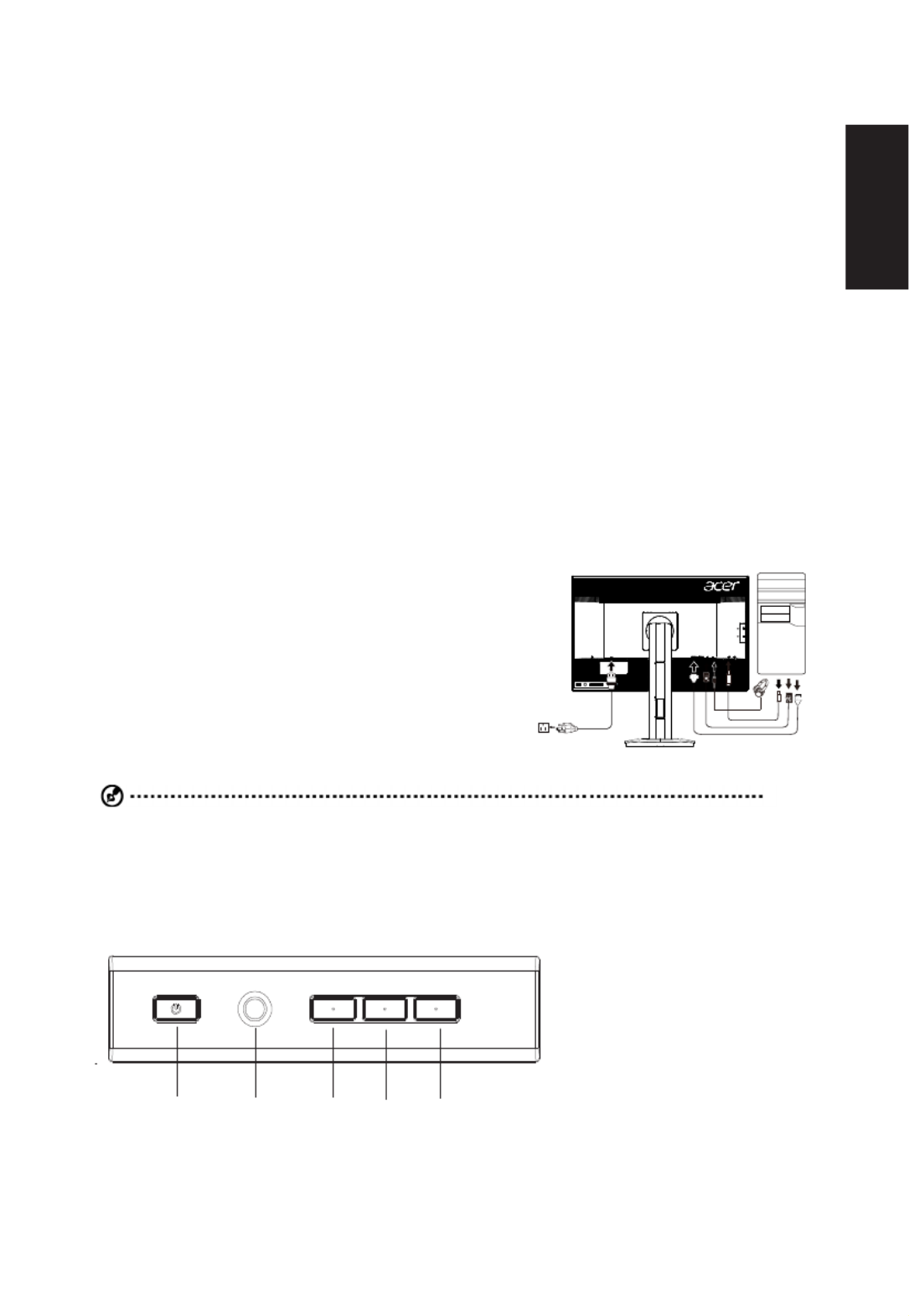
1. Turn off your computer and unplug your computer's power cord.
2. Connect the signal cable to the DP (optional) and/or HDMI (optional)
input socket of the monitor, and the DP (optional) and/or HDMI
(optional) output socket of the graphics card on the computer.
3. Connect the USB Cable(Optional)
Connect the USB 3.0 cable to port for fast charge.
Connect the USB 3.0 cable to port.
4. Insert the monitor power cable into the power port at the back of the
monitor.
5. Plug the power cords of your computer and your monitor into a
nearby electrical outlet.
USB
USB
USB3.0 port
-supporting
fast charge
USB3.0 port
Note: Audio output is only for audio output model. Please check user manual for more instruction.
FreeSync :
It can allow a FreeSync supported graphics source to dynamically adjust display refresh rate based on typical content
frameratesforpowerefcient,virtuallystutterfreeandlow-latencydisplayupdate.
15 4 3 2
Probleemoplossing Acer XF270HB
Als je de handleiding al zorgvuldig hebt gelezen maar geen oplossing voor je probleem hebt gevonden, vraag dan andere gebruikers om hulp
Specificaties
| Merk: | Acer |
| Categorie: | LCD monitoren |
| Model: | XF270HB |