CoolerMaster
Computerbehuizing
Elite 120 Advanced
CoolerMaster Elite 120 Advanced Handleiding
Hier is de CoolerMaster Elite 120 Advanced (Computerbehuizing) gebruikershandleiding. 2 pagina's in taal Engels met een gewicht van 0.6 Mb. Als u geen antwoorden op uw probleem kunt vinden Vraag het onze community.
Pagina 1/2
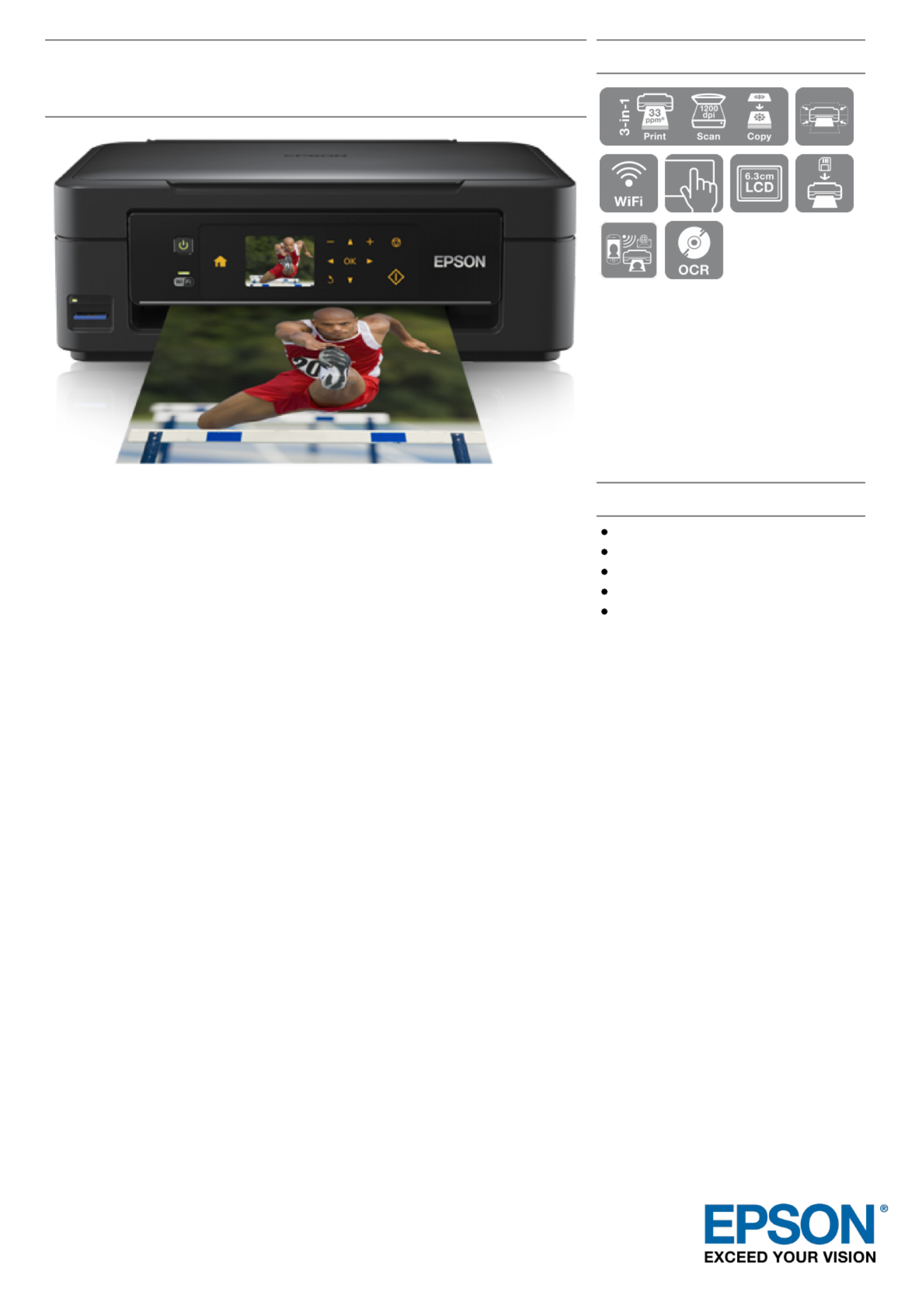
Epson Expression Home XP-402
DATASHEET
Epson Expression Home XP-402 is part of the Small-in-One
range - Epson’s smallest ever range of all-in-one home inkjets.
This printer, scanner and copier offers cost-effective printing for
home users who are looking for the added benefit of Wi-Fi
connectivity, touch panel as well as mobile printing.
The Epson Expression Home XP-402 comes with Epson Connect1, offering
even more flexibility and freedom. It allows users to quickly and easily print
documents and photos wirelessly from smartphones and tablet PCs.
Additionally, users can print from anywhere in the world by emailing documents
and photos directly to the printer.
The XP-402 is Apple AirPrint ready and makes it simple to print emails, photos,
web pages and documents directly from iOS devices2.
Meanwhile, Google Cloud Print is also supported and allows users to print on
the go from a smartphone or computer.
The automatic Wi-Fi set-up3 makes configuring laptops and computers to print
and scan wirelessly extremely easy, as the XP-402 automatically finds the
relevant connection settings in order to configure itself. In addition, a 6.3cm
colour LCD with touch panel and accompanying memory card slot offers easy-
to-use printing with helpful menu prompts.
Epson’s new, Claria Home Ink is ideal for affordable reliable printing, producing
crisp, clear text documents and glossy, lab-quality photos. With individual ink
cartridges you only have to replace the colour used, saving you money.
Claria Home Ink cartridges are available in standard and XL sizes, with page
yields displayed clearly on each pack. Identifying the right ink cartridge for your
printer couldn’t be simpler – just look out for the Daisy image.
KEY FEATURES
Save space, save money, save time
PC-free printing
Mobile printing over Wi-Fi and email
Easy to connect wirelessly
Only replace the colour used
Probleemoplossing CoolerMaster Elite 120 Advanced
Als je de handleiding al zorgvuldig hebt gelezen maar geen oplossing voor je probleem hebt gevonden, vraag dan andere gebruikers om hulp
Specificaties
| Kleur van het product: | Zwart |
| Gewicht: | 3300 g |
| Breedte: | 240 mm |
| Diepte: | 401.4 mm |
| Hoogte: | 207.4 mm |
| Soort: | PC |
| Gebruikershandleiding: | Ja |
| Aantal USB 2.0-poorten: | 2 |
| Ingebouwde luidsprekers: | Nee |
| Geschikt voor: | Thuis/Werk |
| Audio-ingangen: | Ja |
| Audio-uitgang: | Ja |
| Materiaal: | Aluminium, Steel |
| Aantal poorten USB 3.2 Gen 1 (3.1 Gen 1) Type A: | 1 |
| Vermogenstoevoer inclusief: | Nee |
| Aantal 2.5" bays: | 4 |
| Aantal 5.25" bays: | 1 |
| Aantal 3.5" bays: | 3 |
| Ondersteunde HDD-groottes: | 2.5, 3.5 " |
| Supported motherboard form factors: | Mini-ITX |
| Zijraam: | Nee |
| Maximum CPU cooler hoogte: | 65 mm |
| Maximum grafische kaart lengte: | 343 mm |
| Voorste ventilators ondersteunende diameters: | 120 mm |
| Aantal geïntstalleerde ventilators voorkant: | 1x 120 mm |
| Zijkant ventilators ondersteunende diameters: | 80 mm |
| Aantal interne 3.5" baaien: | 3 |
| Geïnstalleerde ventilators zijkant: | 1x 80 mm |