CoolerMaster
Niet gecategoriseerd
Quick Fire XT
CoolerMaster Quick Fire XT Handleiding
Hier is de CoolerMaster Quick Fire XT (Niet gecategoriseerd) gebruikershandleiding. 2 pagina's in taal Engels met een gewicht van 0.3 Mb. Als u geen antwoorden op uw probleem kunt vinden Vraag het onze community.
Pagina 1/2
Thank you for purchasing Quick Fire ! XT
A rugged gaming keyboard using the highest grade gold plated mechanical switches
(CHERRY MX) rated for over 50 million keystrokes.
Using Your CM Storm Quick Fire Keyboard XT
Accessing Advanced Funcons
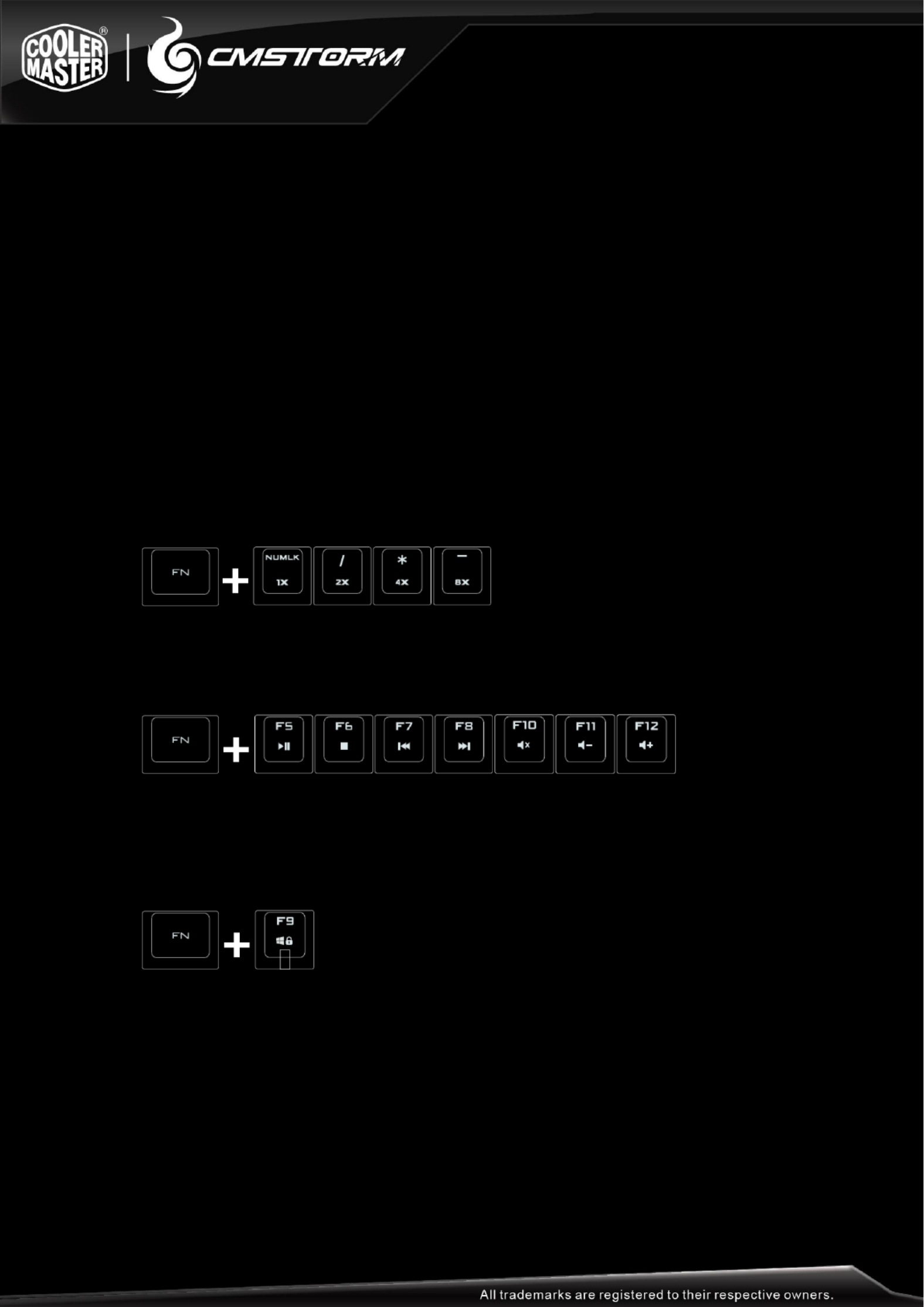
Just like on a Laptop, pressing the FN key at the same me as any of the shortcut keys
as below enables a second funcon programmed to this key.
Repeat rate
In PS/2 mode FN + one of the 4 repeat rate keys above numpad cluster adjust the key repeat
rate from 1x (slow) to 8x (fast) which lets you issue commands faster in some games
Media Keys
FN + F5-F12 key combos work like mulmedia keys and let you control your favorite media
player as well as your speaker/headset volume
Windows Key Lock
FN + F9 disables/enables the Windows keys so you don’t get kicked out of a gaming session
by accident
Package Content:
- Quick Fire Mechanical Gaming Keyboard XT
- Quick Start Guide
- Keycap puller and extra keycaps
- 1.8 m braided USB Cable and PS/2 adapter
Probleemoplossing CoolerMaster Quick Fire XT
Als je de handleiding al zorgvuldig hebt gelezen maar geen oplossing voor je probleem hebt gevonden, vraag dan andere gebruikers om hulp
Specificaties
| Merk: | CoolerMaster |
| Categorie: | Niet gecategoriseerd |
| Model: | Quick Fire XT |