Fantech ARCHER K512 Handleiding
Hier is de Fantech ARCHER K512 (Keyboard) gebruikershandleiding. 1 pagina's in taal met een gewicht van 547,246.0 Mb. Als u geen antwoorden op uw probleem kunt vinden Vraag het onze community.
Pagina 1/1
Instruction Manual
Thank you for purchasing FANTECH ARCHER K512 One-handed RGB Gaming Keypad.
FANTECH ARCHER K512 is a plug and play usb interface One-handed RGB Gaming Keypad, no need
to install any driver for your first use.
TECHNICAL SPECIFICATION
What’s included in the box
System requirements
1. Operating systems: Windows XP/7/8/10; MAC OS
2. One free USB 2.0/3.0 port
1. FANTECH ARCHER K512 One-handed RGB Gaming Keypad
2. User’s manual
ARCHER K512 ONE-HANDED
RGB GAMING KEYPAD
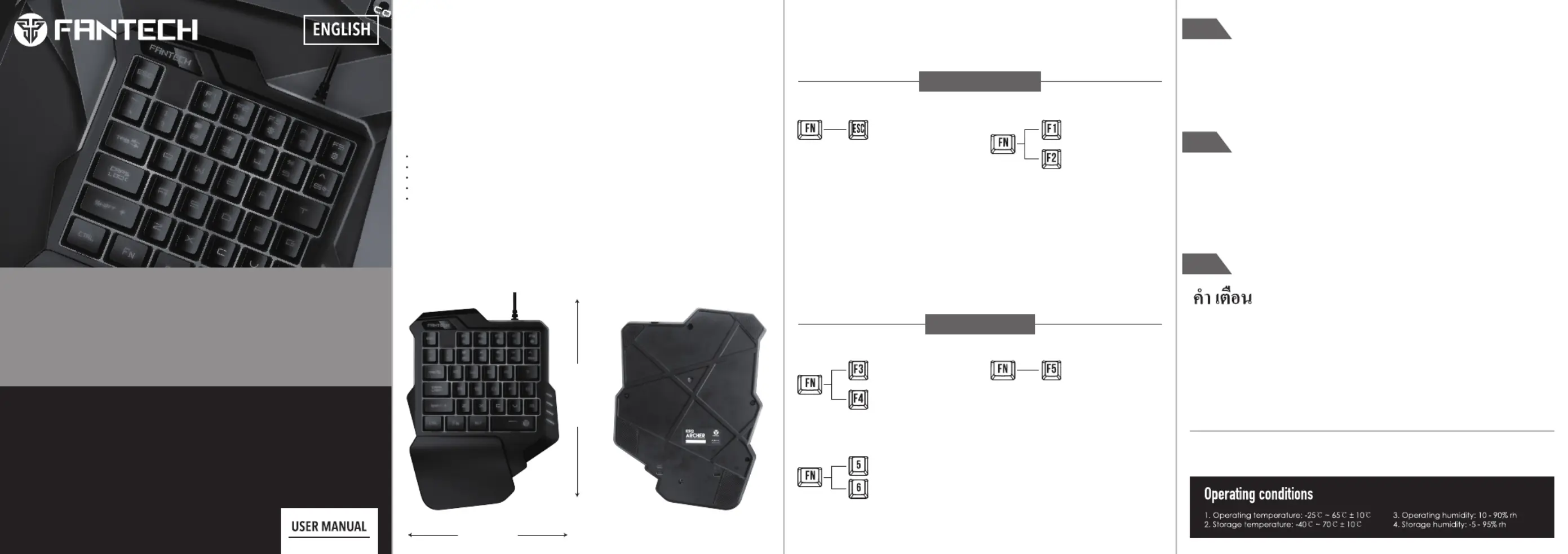
Keys Function Map
K512 ARCHER Size
225mm
TECHNICAL SPECIFICATION
EN
PRODUCT NAME : One-handed RGB Gaming Keypad
NUMBER OF KEYS : 35 Keys
MACRO: 2 Keys
POWER CONSUMPTION: 100mA
WORKING VOLTAGE: DC 5V
CABLE LENGTH : 150cm
Record macro
How To Set Macro
1. Press the FN+ESC key for about 3 seconds , the backlight flickers, enters the recording state , inputs
the recorded content, records the storage according to the FN+F1 ; the backlight stops flashing,
and broadcast the corresponding content according to the FN+F1.
2. The F2 recording keys are in the upper order
3. Clear the recorded keys, press the FN + ESC key and the light flicker, and press FN+F1/F2 to clear
the corresponding recording keys directly.
MACRO MODE
Save Profile 1
Save Profile 2
170mm
RGB ON/OFF
Speed +
Speed -
7 Color Modes/Mixed Color
RGB Modes
RGB MODES
Wave /Colourful Gradient Flowing water,
Default Wave Mode. Press again to enter
colorful circular running RGB mode
ARCHER
K512
ONE-HANDED RGB GAMING KEYPAD
EN
Warning
* Do not attempt to open, service or modify this keyboard to prevent the risk of electricity shock or
other hazard and void the warranty
* Do not remove or change the warranty label.
* Clean using only with dry cloth. Do not use alcohol or detergent.
* Keep away from fire or any heat more than allowed operating and storage condition.
Perhatian
* Jangan pernah mencoba untuk membuka, servis atau memodifikasi keyboard ini untuk
menghindari resiko sengatan listrik atau bahaya lainnya dan membatalkan garansi
* Jangan membuang atau merubah label garansi
* Bersihkan hanya dengan kain kering. jangan menggunakan alkohol atau deterjen
* Jauhkan dari api atau panas yang melebihi suhu pemakaian dan penyimpanan
ID
TH
* อย่าพยายามเปิดหรือปรับเปลี่ยนแป้นพิมพ์ตัวนี้ เพื่อป้องกันความเสี่ยงจากการถูกไฟฟ้าช็อต
* อย่าลบหรือเปลี่ยนป้ายการรับประกัน
* ทาความสะอาดโดยใช้ผ้าแห้งเท่านั้น ห้ามใช้แอลกอฮอล์หรือผงซักฟอก
* เก็บให้ห่างจากไฟหรือความร้
Probleemoplossing Fantech ARCHER K512
Als je de handleiding al zorgvuldig hebt gelezen maar geen oplossing voor je probleem hebt gevonden, vraag dan andere gebruikers om hulp
Specificaties
| Merk: | Fantech |
| Categorie: | Keyboard |
| Model: | ARCHER K512 |