GeoVision
Toegangscontrolesysteem
GV-PCR310
GeoVision GV-PCR310 Handleiding
Hier is de GeoVision GV-PCR310 (Toegangscontrolesysteem) gebruikershandleiding. 4 pagina's in taal Engels met een gewicht van 0.9 Mb. Als u geen antwoorden op uw probleem kunt vinden Vraag het onze community.
Pagina 1/4
August 19, 2013
1
GV-PCR310 Enrollment Reader
The GV-PCR310 is a USB card reader designed to assist with card enrollment to GV-
ASManager. It reads and transfers the identification data of a detected card to GV-
ASManager. The user can conveniently establish user accounts on GV-ASManager by
inserting the cards in the GV-PCR310 Enrollment Reader.
IMPORTANT: GV-PCR310 is only compatible with GV-ASManager V4.1 or later.
1. Packing List
z
z
z
zz GV-PCR310 Enrollment Reader x 1
z
z
z
zz Velcro patch x 2 (sets)
z
z
z
zz GV-PCR310 Installation Guide x 1
Note: Optionally purchase the 13.56 MHz GV-AS ID Card / Tag or GV-AS ID F Card / Tag.
2. Installation
Put GV-PCR310 Enrollment Reader on a surface as a desktop device or secure it to the wall
using the supplied Velcro patch.
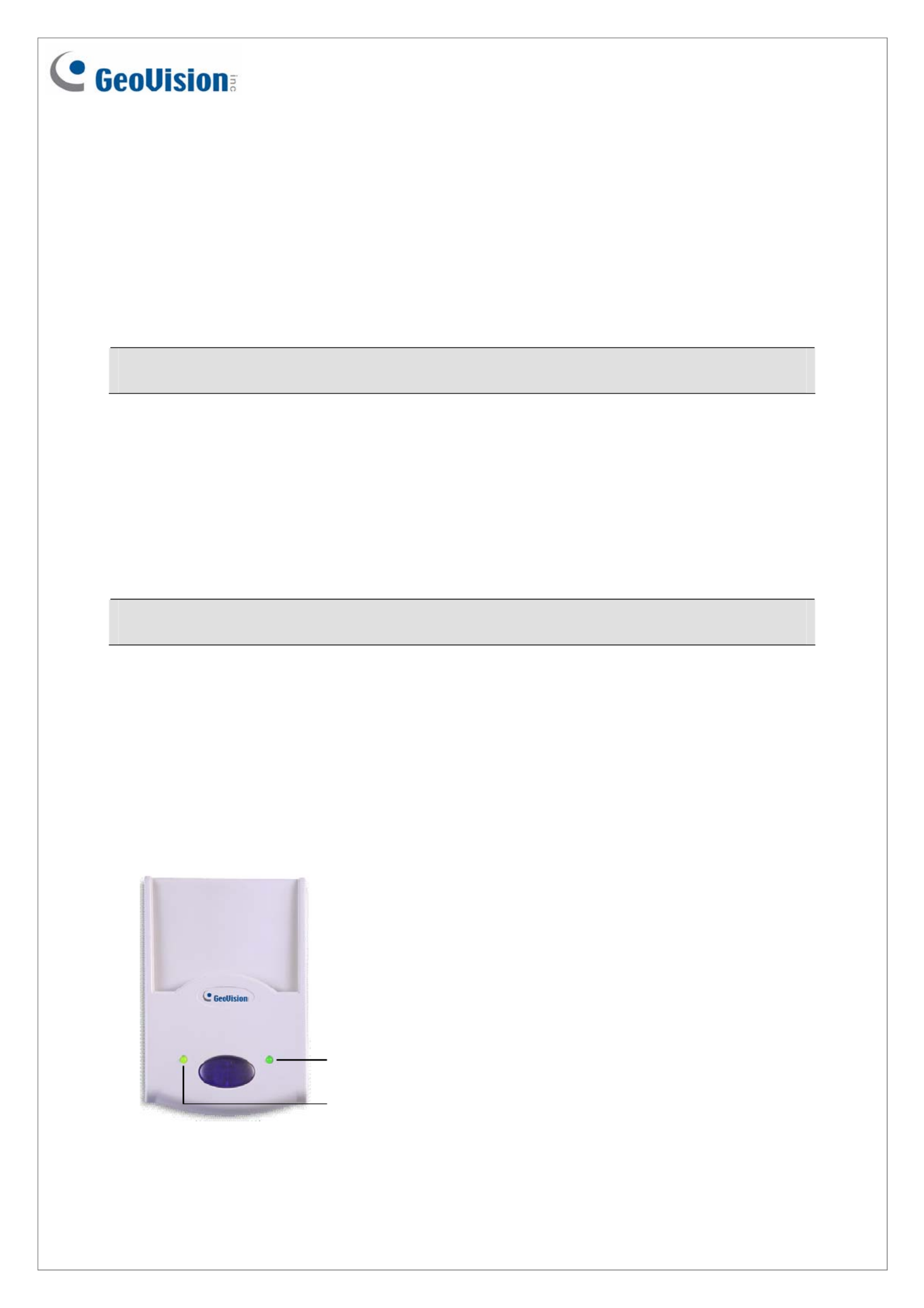
3. Panel Overview
Power LED
Status LED
Probleemoplossing GeoVision GV-PCR310
Als je de handleiding al zorgvuldig hebt gelezen maar geen oplossing voor je probleem hebt gevonden, vraag dan andere gebruikers om hulp
Specificaties
| Kleur van het product: | Blue, White |
| Gewicht: | 115 g |
| Certificering: | CE, FCC |
| Frequentie: | 13.56 MHz |
| Compatibele besturingssystemen: | 32-bit: Windows XP / Vista / 7 / 8 / Server 2008\r\n64-bit: Windows 7 / 8 / Server 2008 R2 / Server 2012 |
| Afmetingen (B x D x H): | 65 x 24.7 x 100 mm |
| Bedrijfstemperatuur (T-T): | -10 - 60 °C |
| Relatieve vochtigheid in bedrijf (V-V): | 10 - 90 procent |