Nedis
Niet gecategoriseerd
NBLKD100ME
Nedis NBLKD100ME Handleiding
Hier is de Nedis NBLKD100ME (Niet gecategoriseerd) gebruikershandleiding. 1 pagina's in taal Engels met een gewicht van 0.1 Mb. Als u geen antwoorden op uw probleem kunt vinden Vraag het onze community.
Pagina 1/1
3
2
1
English - Description
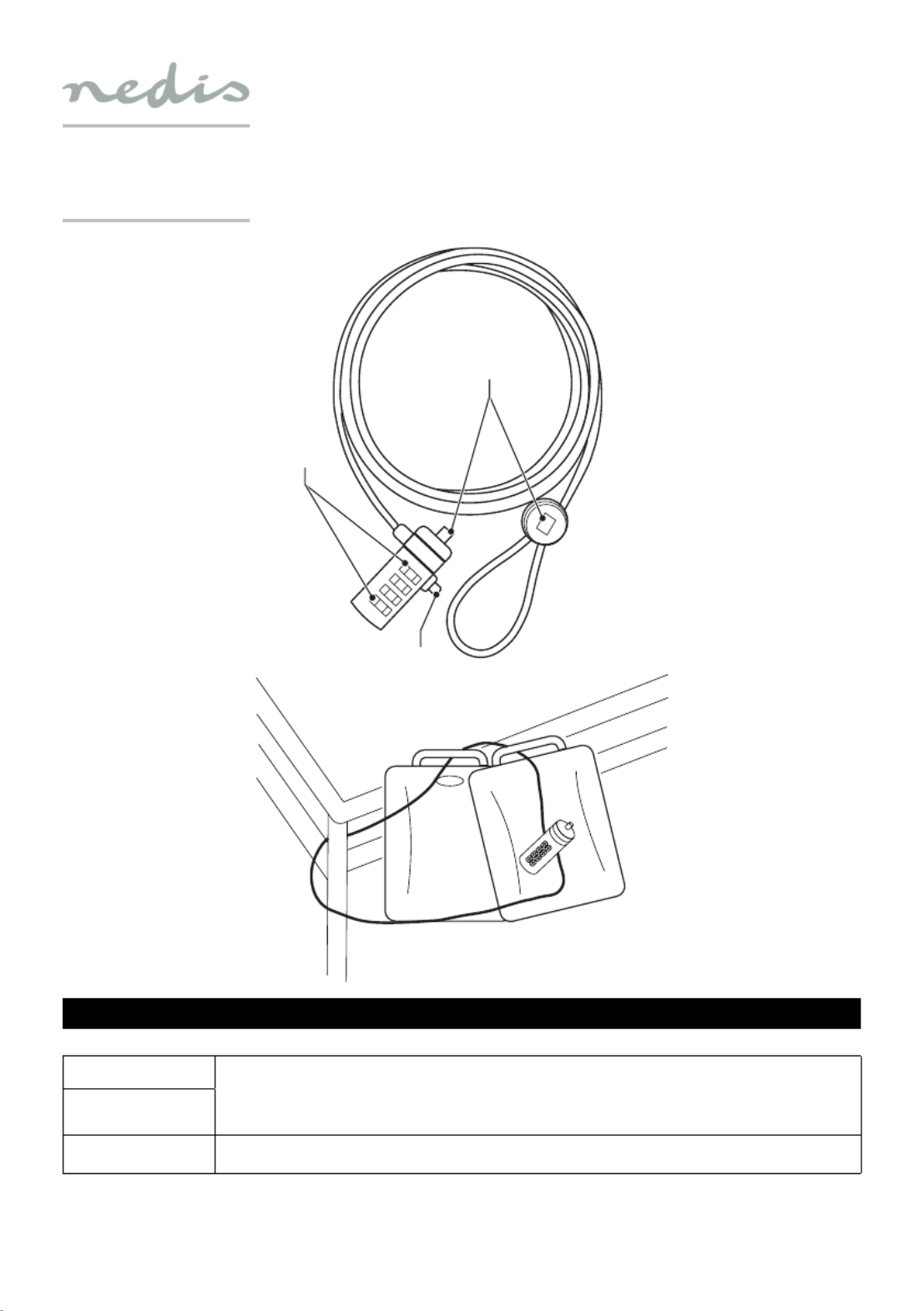
The 4-digit combination lock has been designed to protect desktop computers, laptops/notebooks, computer monitors, printers or other devices against theft.
1. Code unlock button • Set the combination lock to "0-0-0-0".
• Press and hold the code unlock button.
• Set your personal code for the combination lock.
• Release the code unlock button. Your personal code has been set.
Note: Remember your personal code or record your personal code and keep it in a safe place.
2. 4-digit combination
3. Combination lock Use the combination lock to protect your device against theft.
Refer to the example illustration.
Support
If you need further help or have comments or suggestions please visit www.nedis.com/support
Contact
NEDIS B.V., De Tweeling 28, 5215 MC ‘s-Hertogenbosch, The Netherlands
NBLKD100ME
4-digit combination lock
Probleemoplossing Nedis NBLKD100ME
Als je de handleiding al zorgvuldig hebt gelezen maar geen oplossing voor je probleem hebt gevonden, vraag dan andere gebruikers om hulp
Specificaties
| Merk: | Nedis |
| Categorie: | Niet gecategoriseerd |
| Model: | NBLKD100ME |