Snooper Memory Map Adventurer 3000 Handleiding
Hier is de Snooper Memory Map Adventurer 3000 (Navigatie) gebruikershandleiding. 2 pagina's in taal English met een gewicht van 0.6 Mb. Als u geen antwoorden op uw probleem kunt vinden Vraag het onze community.
Pagina 1/2
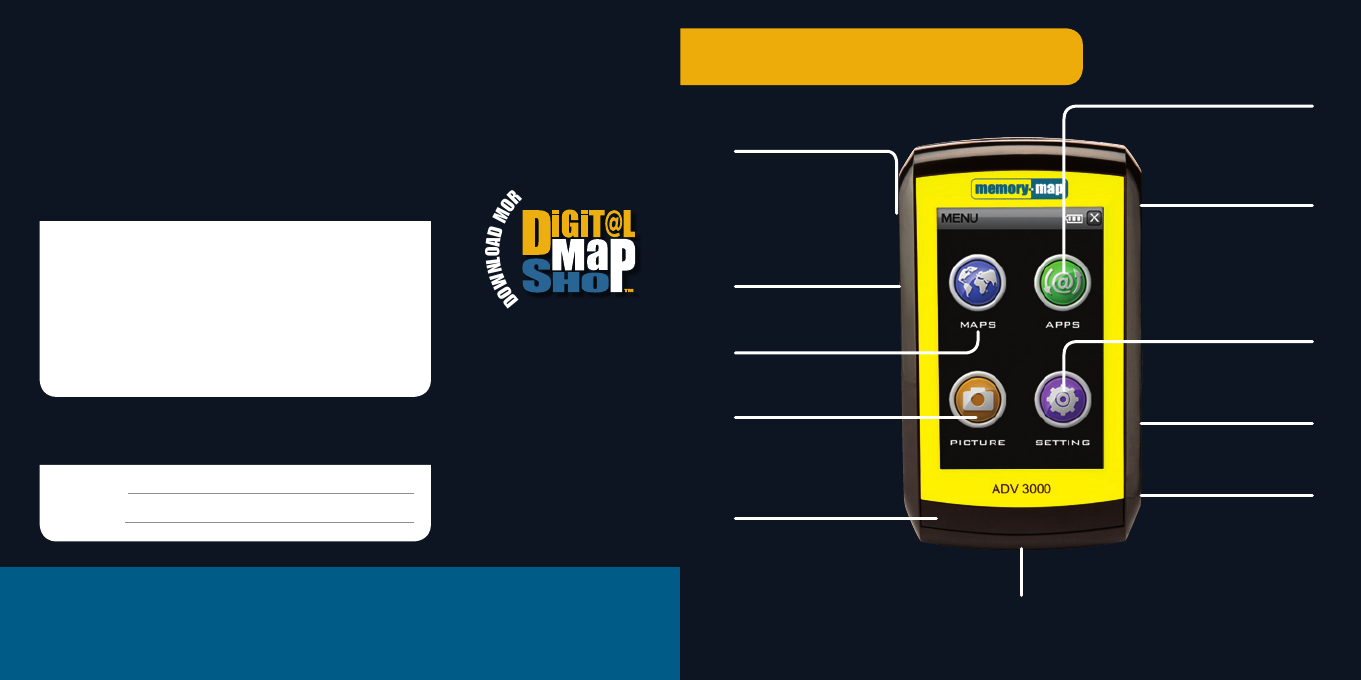
Getting Started – ADV 3000
Help and support
For help and support please check the built in Help Pages – click Help > Topics > Getting
Started. For more detailed information such as User Manuals and Step-by-step guides
visit our knowledgebase or contact us at www.memory-map.co.uk/support
Your Serial Number
Enter the serial number below when prompted to Activate
your maps and software features.
Username and password
After you create a Memory-Map account make a note of your Username and Password.
Username:
Password:
D
O
W
N
L
O
A
D
M
O
R
E
M
A
P
S
W
I
T
H
.
.
.
www.memory-map.co.uk
©2001-14 Memory-Map Europe, part of EVO Distribution Ltd.
3-4 Mars House, Calleva Park, Aldermaston. RG7 8LA
MM/QSG/ADV3000/R1
Add-on apps
Choose from a range
of add-on apps
such as EU SatNav
Lanyard
Attachment for
strap and stylus
Settings
Adjust Brightness,
Volume, Touchscreen
and Power settings
microSD card slot
For map cards
and applications
MicroUSB port
Charge & PC interface
On / off
Press for 3 seconds
to turn on/off. Press
briefly when on Maps
to access quick system
settings & trip computer
Screen Lock
Slide to disable
touchscreen
Memory-Map®
Tap MAPS icon to launch
Memory-Map application
Picture viewer
View your saved photos
Battery charging light
Red whilst charging
Green when charged
Bike mount
Affix bike mount back
plate with screen provided
Probleemoplossing Snooper Memory Map Adventurer 3000
Als je de handleiding al zorgvuldig hebt gelezen maar geen oplossing voor je probleem hebt gevonden, vraag dan andere gebruikers om hulp
Specificaties
| Merk: | Snooper |
| Categorie: | Navigatie |
| Model: | Memory Map Adventurer 3000 |