Crestron
Niet gecategoriseerd
HD-CONV-USB-200
Crestron HD-CONV-USB-200 Handleiding
Hier is de Crestron HD-CONV-USB-200 (Niet gecategoriseerd) gebruikershandleiding. 2 pagina's in taal met een gewicht van 299,255.0 Mb. Als u geen antwoorden op uw probleem kunt vinden Vraag het onze community.
Pagina 1/2
Quick Start
The HD-CONV-USB-200 provides an HDMI® input for a Crestron® Flex UC video conference
system using the Microsoft Teams™ platform. It is also compatible with Windows® and
macOS® computers and other USB UVC class devices.
Check the Box
Item Qty
HD-CONV-USB-200 1
Bracket, Mounting (P/N 2052220) 2
Cable, USB 3.0, A - B, 3 ft (1 m) (P/N 2052534) 1
Screw, 4-40 x 1/4 in., Pan Head, Philips, Black (P/N 2007158) 4
Install the Device
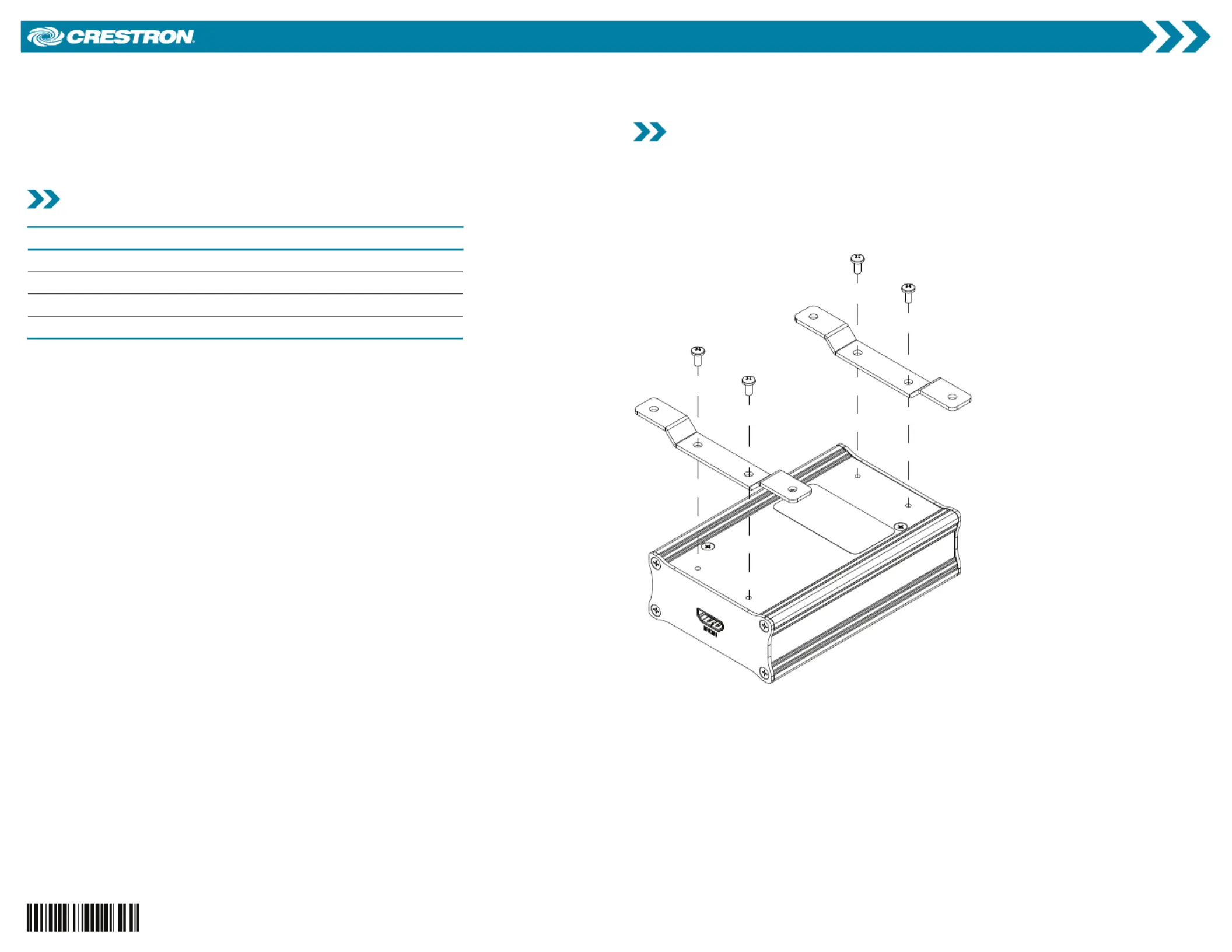
The HD-CONV-USB-200 can be mounted onto a surface such as a table with the included
mounting brackets or simply placed on a flat surface. To mount on a surface, install the
mounting brackets as shown in the following diagram.
Using a #1 Phillips screwdriver, attach the two included brackets to the device with the four
included screws. Then, mount the device onto the surface using four mounting screws (not
included).
HD-CONV-USB-200
HDMI® to USB 3.0 Converter
Probleemoplossing Crestron HD-CONV-USB-200
Als je de handleiding al zorgvuldig hebt gelezen maar geen oplossing voor je probleem hebt gevonden, vraag dan andere gebruikers om hulp
Specificaties
| Merk: | Crestron |
| Categorie: | Niet gecategoriseerd |
| Model: | HD-CONV-USB-200 |