Mikrotik
Powerline adapter
PL7510Gi
Mikrotik PL7510Gi Handleiding
Hier is de Mikrotik PL7510Gi (Powerline adapter) gebruikershandleiding. 5 pagina's in taal Engels met een gewicht van 1.0 Mb. Als u geen antwoorden op uw probleem kunt vinden Vraag het onze community.
Pagina 1/5
PWR-LINE PRO
The PWR-LINE PRO allow Ethernet-like connectivity between supported devices over regular electrical power
lines. When plugged into the same electrical circuit, the device will establish Ethernet connectivity by using the
HomePlug AV 2 standard. PWR-LINE PRO does not require any system software or configuration, it's ready to use.
Connecting
Plug one PWR-LINE PRO device into a power socket.
Connect to one of the LAN ports of your MikroTik router to the PWR-LINE PRO Ethernet port.
Plug another PWR-LINE PRO unit (or any other compatible device) somewhere in the same electrical
circuit.
Use the sync button to connect the devices and your local network will automatically be extended. Please
see section on how to pair additional PWR-LINE PRO devices.PWR connection button (sync)
PWR-LINE PRO supports PoE out from Ethernet port to power another Mikrotik device, this can be
activated with a switch, please see section.LED lights and PoE switch
Mounting
PWR-LINE PRO can be mounted on the wall using four provided screws:
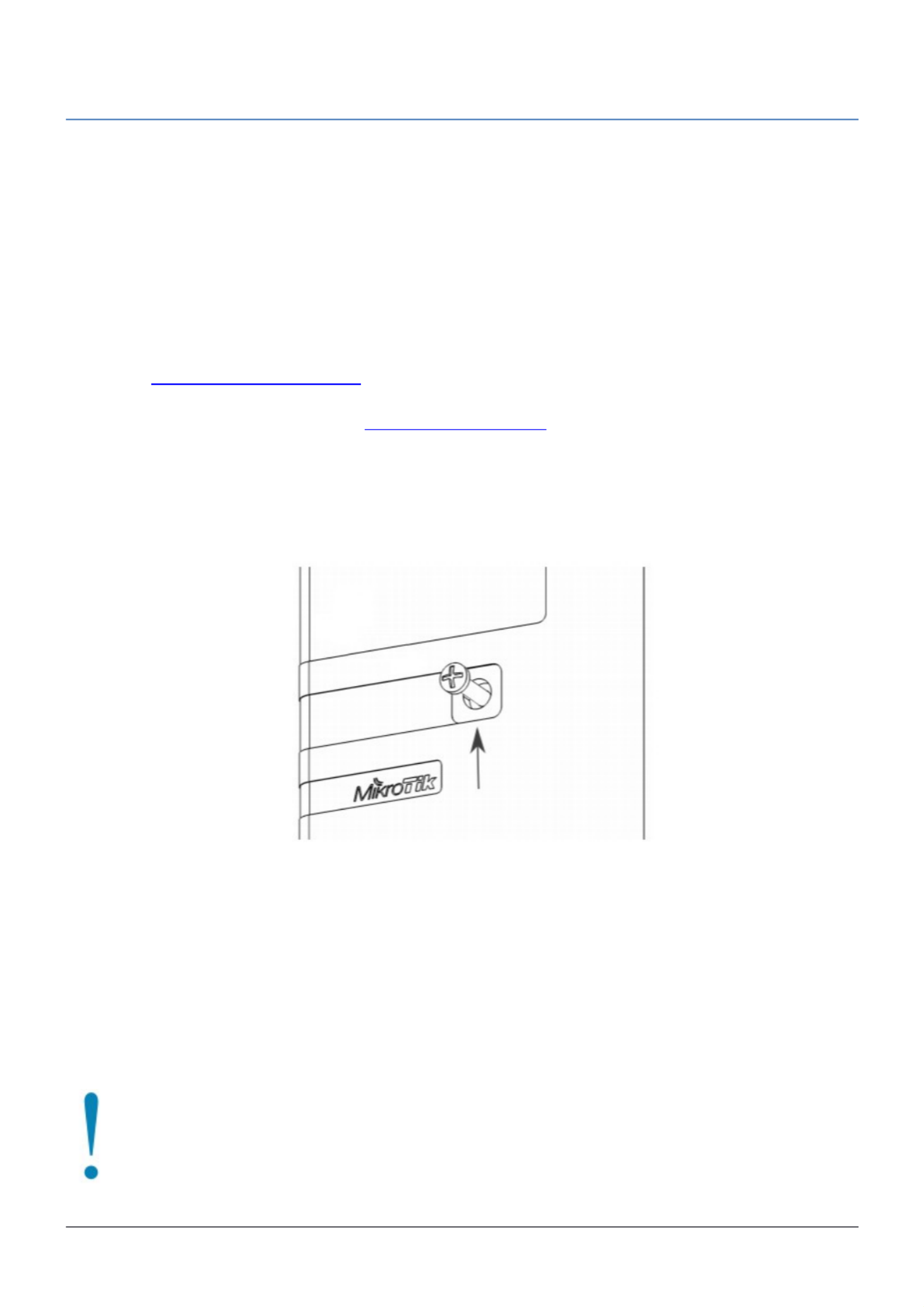
1. To access mounting points, remove a center screw, that is holding top cover, using PH2 screwdriver.
2. Mark four points for screw holes in the desired place on the wall for PWR-LINE PRO.
3. Drill using 5 mm drill bit for dowel holes and insert them by slight tapping if necessary.
4. Mount PWR-LINE PRO and close top cover, center screw tightening force 0.5 – 0.7 Nm, attach provided
3M sticker to cover center screw.
The IP rating scale for this device is IPX0.
When mounting indoors, please ensure that cable feed is pointing downwards. We recommend using shielded Cat6
cables for our devices.
Powering
The device accepts powering directly from 100-230 V AC , ~50/60 Hz wall socket it is plugged into. ⏦The
power consumption under maximum load can reach 5 W. Max power consumption with PoE-Out 14 W.
In order to reach a speed of 600 Mbps, your electrical sockets needs to be grounded.
To connect with another PWR-LINE device, both need to be on the one electrical phase.
See mikrotik.com/products for the latest version of this document. Document #49004 Modified on: 14.OCT.2019
Probleemoplossing Mikrotik PL7510Gi
Als je de handleiding al zorgvuldig hebt gelezen maar geen oplossing voor je probleem hebt gevonden, vraag dan andere gebruikers om hulp
Specificaties
| Kleur van het product: | Wit |
| Breedte: | 94 mm |
| Diepte: | 105 mm |
| Hoogte: | 32 mm |
| LED-indicatoren: | Ja |
| Ethernet LAN: | Ja |
| Aantal per verpakking: | 1 stuk(s) |
| Interfacetype Ethernet LAN: | Gigabit Ethernet |
| Ethernet LAN, data-overdrachtsnelheden: | 10,100,1000 Mbit/s |
| Maximale overdrachtssnelheid van gegevens: | - Mbit/s |
| Wifi: | Nee |
| AC-ingangsspanning: | 100 - 240 V |
| AC-ingangsfrequentie: | 50/60 Hz |
| Bedrijfstemperatuur (T-T): | -40 - 60 °C |